
DesktopAlive / Snake
There is a snake on your taskbar.
DesktopAlive Snake sends a realistic snake crawling along the bottom of your screen, across all your monitors. Touch it with the mouse and it reacts like the real animal. Every click goes straight through it.
Free reticulated python included. Windows 10 and 11, 8.1 MB. How to use it · View on GitHub

Recorded from the real DesktopAlive Snake. On your PC it crosses all your monitors.
Seven snakes, each with its own habits

Free
Reticulated python
The longest snake in the world, with a gold, black and silver net pattern. Calm and steady: it pauses now and then, lifts its head to look around and flicks its tongue. Touch it and it freezes and watches you.

With the lifetime unlock
Green anaconda
The heaviest snake: thick, olive green with black spots. It pours forward slowly, wave by wave, and is so big it reaches a little above the taskbar.
With the lifetime unlock
King cobra
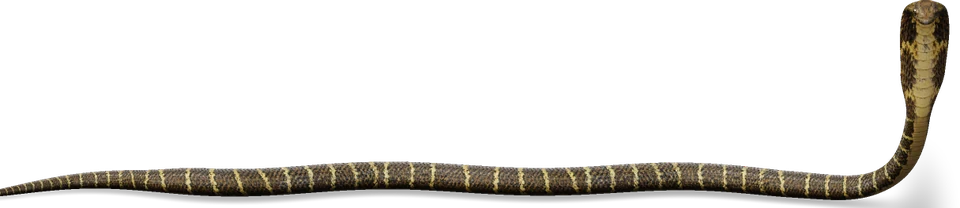
The longest venomous snake. Touch it and it rises almost upright above the taskbar, spreads its hood and turns to face you. Stay near and it stays up.

With the lifetime unlock
Rattlesnake
An eastern diamondback. Touch it and it draws its body into tight bends, lifts its tail and rattles, with a soft rattle sound you can switch off.

With the lifetime unlock
Milk snake
Small, glossy and bright: red, black and yellow bands. It freezes for a moment when touched, then races away.

With the lifetime unlock
Blue coral snake
An electric blue stripe with a red head and red tail. Touched, it hides its head and lifts its bright tail, slowly waving it like a second head.

With the lifetime unlock
Indian rock python
Heavy and slow, tan with dark brown blotches and an arrow mark on its head. It takes long rests and moves on with patience.
New
A focus timer that crawls
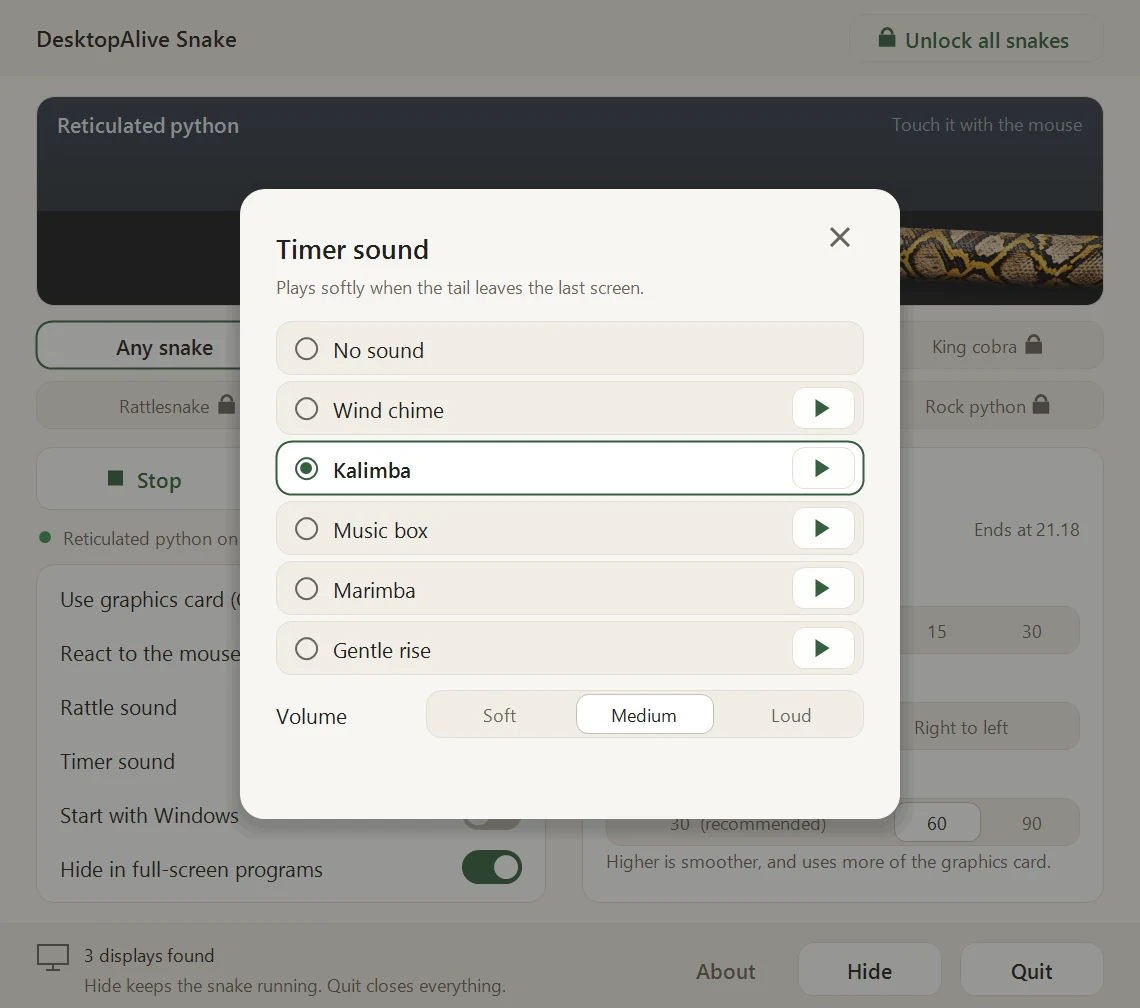
Set how long the snake takes to cross all your screens, from 1 minute to 12 hours. Its head comes in when the time starts. When the tail leaves the last screen, the time is up and a soft sound plays. One look at the taskbar shows how far along you are, without a clock that ticks or flashes.
- 1 minute to 12 hours
- 5 gentle sounds, or none
- Shows when it ends
- Free with the python
You choose how it behaves
- When and how fast
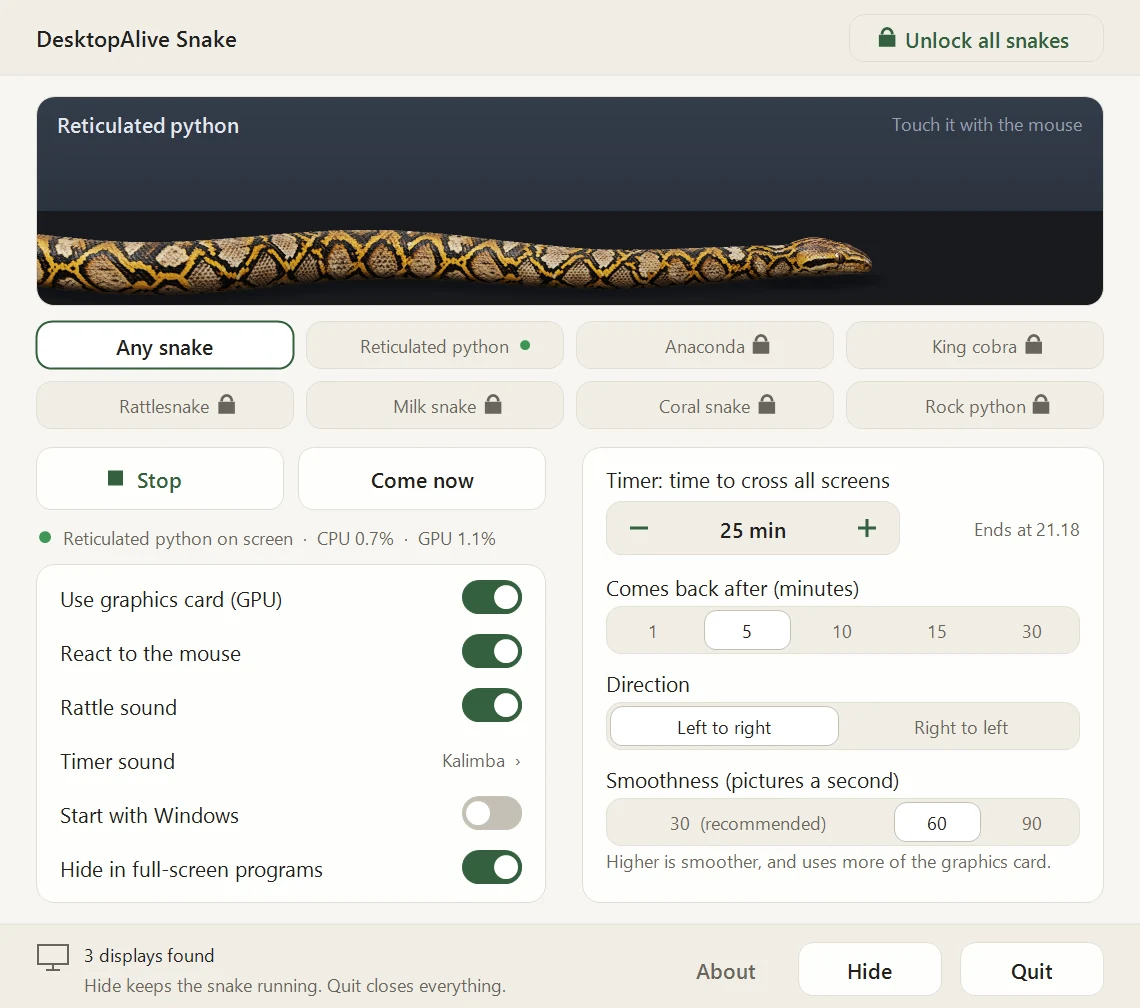
- The timer sets how long one crossing takes, from 1 minute to 12 hours. It comes back after 1 to 30 minutes, left to right or right to left. Pick one snake or let it choose.
- Live numbers
- The window shows its CPU and GPU use. By default it draws with the processor at a smooth 30 pictures a second; with the graphics card switched on it can do 60 or 90. On our test PC (RTX 3070) a crossing used about 0.5% CPU and 2% GPU. Your numbers will differ.
- Out of your way
- Clicks pass through. It can hide during full-screen programs, and Stop or Quit clears the screen. It starts with Windows only if you switch that on.
- Private
- It does not read your keys, files or screen; it only notices where the mouse pointer is. It goes online only to check a licence key.
Free python. Pay once for all seven.
All seven snakes
In India ₹149, later ₹199. Taxes may be added at checkout.
- Anaconda, king cobra, rattlesnake, milk snake, blue coral snake, Indian rock python
- Yours for life, no subscription
- One key works on 2 of your PCs
- Works offline after unlocking
- 7-day refund
Questions
How do I get my key?
It comes by email after payment. Open DesktopAlive Snake, click a locked snake, choose "I have a key" and paste it.
Does a Makkhi key work here?
No. Makkhi and DesktopAlive Snake are separate programs with separate keys. A key works only in the program it was bought for.
Will it slow down my PC?
The window shows its CPU and GPU use live. By default it draws with the processor at 30 pictures a second. Switch on "Use graphics card" for 60 or 90.
I bought a new PC.
On the old PC open About and choose "Remove licence from this PC", then use the same key on the new one. If the old PC no longer works, write to support.
Windows shows a warning when I install.
DesktopAlive Snake is new and not yet signed with a publisher certificate, so Windows may say it does not recognise it. Only continue if you downloaded it through this website or our GitHub page. If your antivirus reports a threat, do not install it, and please tell us.
Can I use it as a timer?
Yes. Set "Timer: time to cross all screens" to anything from 1 minute to 12 hours. When the tail leaves the last screen, a soft sound plays. Choose the sound, or none, under "Timer sound". It works with the free python too.
How do I send feedback or an idea?
In the program open About and choose "Send feedback or an idea" (version 0.1.30 and newer), or write to support@desktopalive.com. We read every message.
How do I remove it?
Windows Settings, Apps, DesktopAlive Snake, Uninstall. This also removes its settings and the key saved on that PC.