Study with a snake: a focus timer on your Windows taskbar
26 November 2026
A timer you keep looking at is a distraction of its own. A snake that slowly crawls along the bottom of your screen is different: you see at a glance how much time is left, and when its tail leaves the last screen, a soft sound tells you to stop. This is how to use DesktopAlive Snake as a study timer. It works with the free reticulated python.
Why short rounds help
Many students work in rounds: about 25 minutes of focus, then a 5-minute break, and a longer break after four rounds. The idea is known as the Pomodoro Technique. A fixed round makes it easier to start ("only 25 minutes"), and the break comes before you are tired. Use whatever length suits you; some people like 45 or 50 minutes.
Set it up in one minute
- Open DesktopAlive Snake (click the snake icon next to the clock).
- Set Timer: time to cross all screens to 25 minutes with - and +.
- Set Comes back after to 5 minutes: that is your break.
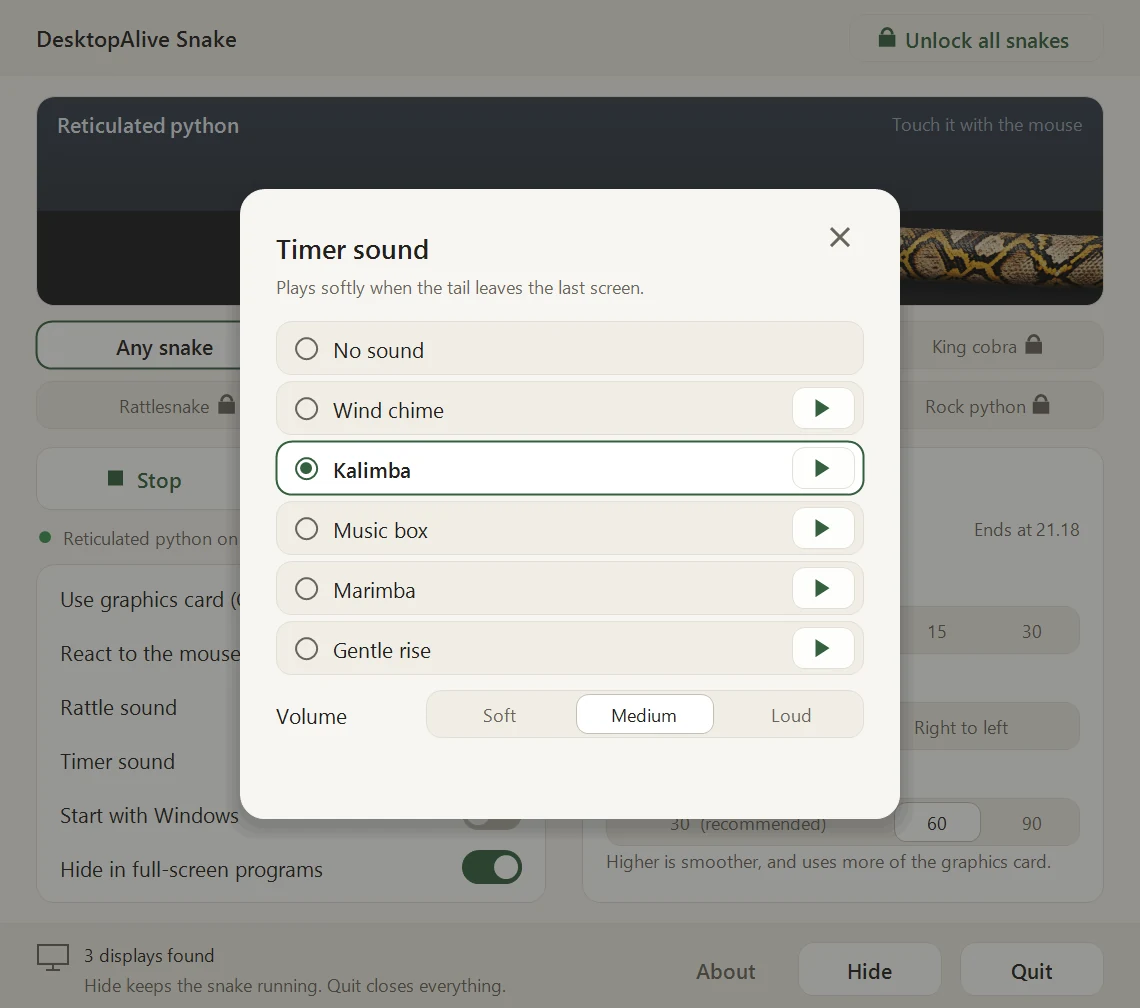
- Click Timer sound, press play to hear the five sounds, and pick one. Kalimba and wind chime are gentle; choose Soft if you study next to someone.
- Press Come now. The round starts as the head comes in. The window and the menu of the tray icon show when it ends.
When the sound plays, stand up, drink some water, look out of the window. When the snake comes back, the next round starts by itself.
Tips
- Do not stop the snake to check the time. Its place on the taskbar is the time: halfway across your screens means half the round is gone.
- Touching it is fine. If you play with it, it stops and watches you, then catches up. The round still ends on time.
- Full-screen videos (a lecture, for example): switch on "Hide in full-screen programs". The timer keeps running and the sound still plays.
- Long sessions: the timer goes up to 12 hours, so you can also let one slow crossing mark a whole afternoon of revision.
- Quiet room: choose "No sound" and simply watch the tail.
One request: if someone in the room is afraid of snakes, pick a time when they are not looking, or use the fly instead.