
DesktopAlive / Aqua
There is an aquarium in your taskbar.
DesktopAlive Aqua slowly fills the bottom of your screen with clear, moving water, and realistic fish swim in it, across all your monitors. Move the mouse over it and the water ripples. Every click goes straight through to your taskbar.
Free clownfish included. Windows 10 and 11, 13.9 MB. View on GitHub
Recorded from the real DesktopAlive Aqua. On your PC the water fills the whole taskbar, on every screen.
Three fish, each with its own way of swimming
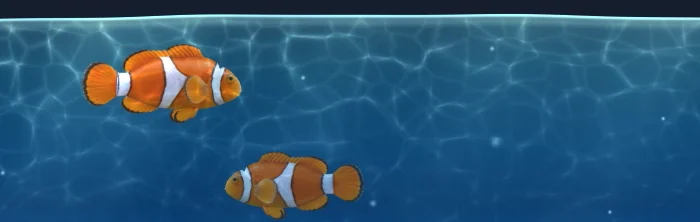
Free
Clownfish
Bright orange with three white bands edged in black. It hovers, rowing with its side fins, then swims on a little, with a gentle bend in its body. Touch the water near it and it darts a short way, then calms down. The free version has one.
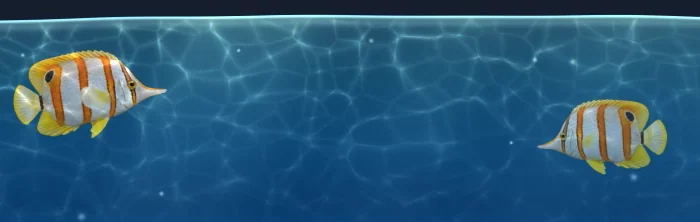
With the lifetime unlock
Copperband butterflyfish
White with copper-orange bands and a long thin snout. It moves slowly and with care, stops often and tips its snout down as if picking food from the rocks, and turns on the spot.
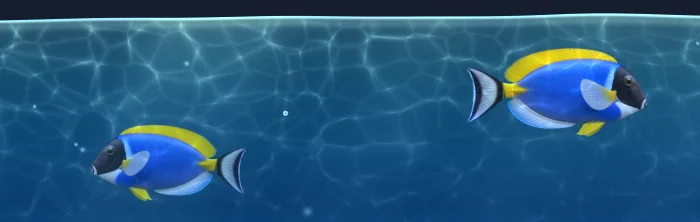
With the lifetime unlock
Powder blue tang
Bright blue with a black face and a yellow fin along its back. A busy swimmer that seldom stops: it cruises faster than the others, rowing and gliding, and turns quickly.
Calm to watch, light on your PC
- Water that moves
- Light plays through the water, bubbles rise, the surface waves and slow currents carry the fish. The mouse and the fish make ripples. Choose how much: from still water to waves, currents and swirls.
- Live numbers
- The window shows its CPU and GPU use. On our test PC (RTX 3070), 15 fish at 60 pictures a second used about 1.7% CPU and 2.2% GPU. Your numbers will differ. Graphics quality goes from Low to Ultra, smoothness from 30 to 90 pictures a second.
- Saves power by itself
- On battery it slows to 30 pictures a second with fewer bubbles. When the PC is locked, the screen goes off or the PC sleeps, everything pauses. It starts with Windows only if you switch that on, and then waits a few seconds before the water fills.
- Private
- It does not read your keys, files or screen; it only notices where the mouse pointer is. It goes online only to check a licence key and to look for a new version.
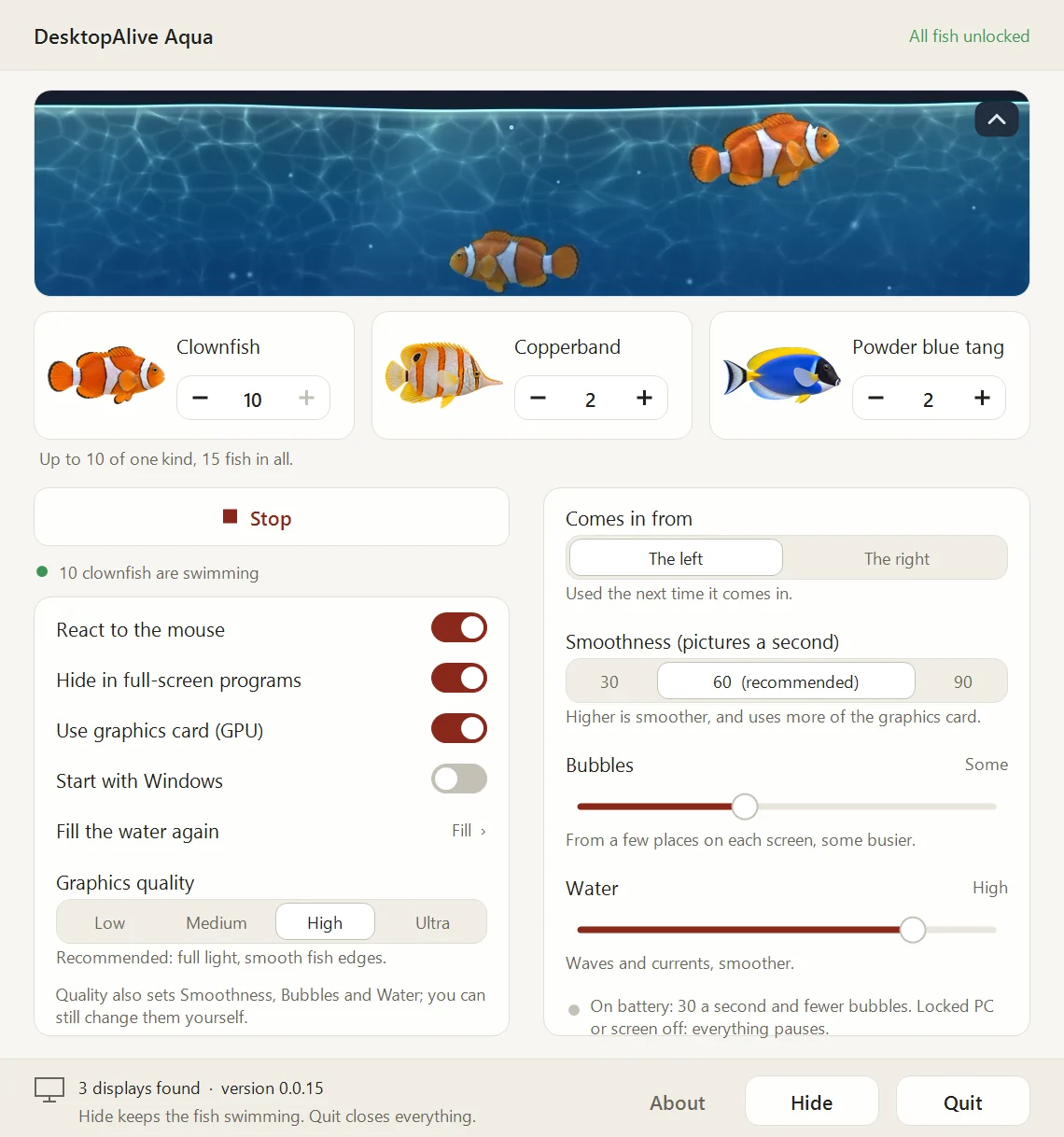
Free clownfish. Pay once for all the fish.
All fish
In India ₹149, later ₹199. Taxes may be added at checkout.
- Clownfish, copperband butterflyfish and powder blue tang
- Up to 10 of one kind, 15 fish in all
- Yours for life, no subscription
- One key works on 2 of your PCs
- Works offline after unlocking
- 7-day refund
Questions
What is free?
One clownfish, with every setting: graphics quality, smoothness, bubbles, water movement and all your monitors, with no time limit. The lifetime unlock adds the copperband butterflyfish and the powder blue tang, and lets you have up to 10 fish of one kind and 15 in all.
How do I get my key?
It comes by email after payment. Open DesktopAlive Aqua, click "Unlock all fish", choose "I have a key" and paste it.
Does a Makkhi or Snake key work here?
No. Each DesktopAlive program has its own keys. A key works only in the program it was bought for.
Will it slow down my PC?
The window shows its CPU and GPU use live. On our test PC (RTX 3070), 15 fish at 60 pictures a second used about 1.7% CPU and 2.2% GPU. Your numbers will differ. Without a graphics card it draws with the processor at 30 pictures a second.
What about my laptop battery?
On battery or with Battery saver on, it draws 30 pictures a second and fewer bubbles, and goes back to normal when you plug in. When the PC is locked, the screen is off or the PC sleeps, it pauses completely.
Can I still use my taskbar?
Yes. The water and the fish are only pictures: every click goes straight through to your taskbar buttons. It can also hide while a full-screen program runs.
I bought a new PC.
On the old PC open About and choose "Remove licence from this PC", then use the same key on the new one. If the old PC no longer works, write to support.
Windows shows a warning when I install.
DesktopAlive Aqua is new and not yet signed with a publisher certificate, so Windows may say it does not recognise it. Only continue if you downloaded it through this website or our GitHub page. If your antivirus reports a threat, do not install it, and please tell us.
How do I send feedback or an idea?
In the program open About and choose "Send feedback or an idea", or write to support@desktopalive.com. Tell us which fish you would like next. We read every message.
How do I remove it?
Windows Settings, Apps, DesktopAlive Aqua, Uninstall. This also removes its settings and the key saved on that PC.